Custom Gear Ratios
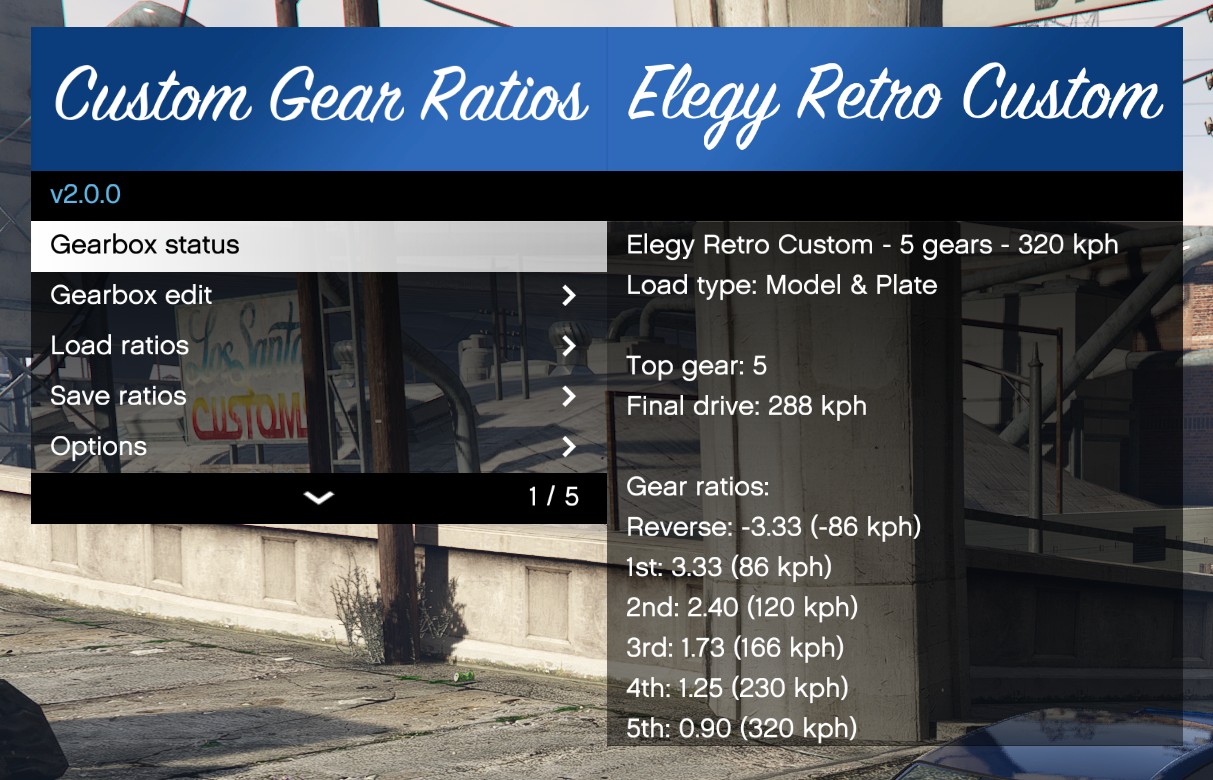
Change car gear ratios in GTA V.
- Requirements
- Installation
- Usage
- XML files
- Base gearbox file
- CVT (Continuously Variable Transmission)
- Notes
Requirements
- Grand Theft Auto V
- ScriptHookV
Installation
- Put
CustomGearRatios.asiand the folderCustomGearRatiosin your GTA V folder. - Start the game.
Updating
Put CustomGearRatios.asi in your GTA V folder.
Old settings don’t need to be replaced.
Usage
To open the menu:
- Press F8, or
- Enter the “cgr” cheat in the cheat window (tilde (~)).
The key and cheat to open the menu can be changed in settings_menu.ini.
XML files
In the folder CustomGearRatios/Configs, XML files can be placed with gearbox descriptions.
Layout:
<?xml version="1.0"?>
<Vehicle>
    <Description>5-gear AE86</Description>
    <ModelName>Futo</ModelName>
    <PlateText>undefined</PlateText>
    <TopGear>5</TopGear>
    <DriveMaxVel>48.07</DriveMaxVel>
    <Gear0>-3.484</Gear0>
    <Gear1>3.587</Gear1>
    <Gear2>2.022</Gear2>
    <Gear3>1.384</Gear3>
    <Gear4>1.000</Gear4>
    <Gear5>0.861</Gear5>
    <CVT.Enable>false</CVT.Enable>
    <CVT.LowRatio>3.3</CVT.LowRatio>
    <CVT.HighRatio>0.9</CVT.HighRatio>
    <CVT.RPMTarget>0.80</CVT.RPMTarget>
    <CVT.ShiftUpSpeed>4.0</CVT.ShiftUpSpeed>
    <CVT.ShiftDownSpeed>8.0</CVT.ShiftDownSpeed>
    <CVT.LoadResponseRate>2.0</CVT.LoadResponseRate>
</Vehicle>
- File name: Must end with .xml
- Description: In-game in-menu displayed name of the configuration
ModelName: Used to match the vehicle model for auto-loadingPlateText:autoload_model: Loads the config for all vehicles with this model.undefined: Doesn’t automatically load the config.- Any other string: Matches the plate text to only load for specific model + plate combinations.
DriveMaxVel: In m/s. More or less the final drive modifier.Gear{X}: Actual gear ratio for that gear- When not enough gears are provided for the
TopGear, the config is invalid and will not load.
- When not enough gears are provided for the
CVT.Enable: Only used whenTopGearis1. Simulates a CVT instead of a single fixed gear.CVT.LowRatio: Ratio at the low end of the range, essentially “first gear”.CVT.HighRatio: Ratio at the high end of the range, essentially “top gear”.CVT.RPMTarget: Relative RPM (0-1) the CVT aims for at full throttle, i.e. where the engine makes peak power.CVT.ShiftUpSpeed: How fast the CVT can move through its full ratio range when upshifting.1.0≈ 1s,5.0≈ 0.2s,10.0≈ 0.1s.CVT.ShiftDownSpeed: Same as above, but for downshifting. Usually higher thanCVTShiftUpSpeed.CVT.LoadResponseRate: How quickly the simulated engine RPM catches up to the CVT’s target ratio. Higher is more responsive.- Note that starting with release 2.0.0, CVT parameters are also added.
Base gearbox file
CustomGearRatios/CGRBase.xml is an optional, monolithic source of model defaults. It is intended for
handling and vehicle packs that need to distribute many gearboxes without adding files to the user’s
editable Configs directory. The script never writes to or deletes this file.
The root is CGRBase and it may contain any number of Vehicle entries. Each entry uses the same gearbox
fields as a normal XML config, but PlateText and ModelHash are omitted: base entries always autoload by
ModelName, which must be unique within the file. CVT fields remain optional.
<?xml version="1.0"?>
<CGRBase>
    <Vehicle>
        <Description>Futo base gearbox</Description>
        <ModelName>Futo</ModelName>
        <TopGear>5</TopGear>
        <DriveMaxVel>48.07</DriveMaxVel>
        <Gear0>-3.484</Gear0>
        <Gear1>3.587</Gear1>
        <Gear2>2.022</Gear2>
        <Gear3>1.384</Gear3>
        <Gear4>1.000</Gear4>
        <Gear5>0.861</Gear5>
    </Vehicle>
    <Vehicle>
        <Description>Adder base gearbox</Description>
        <ModelName>Adder</ModelName>
        <TopGear>2</TopGear>
        <DriveMaxVel>55.0</DriveMaxVel>
        <Gear0>-3.0</Gear0>
        <Gear1>3.0</Gear1>
        <Gear2>1.0</Gear2>
    </Vehicle>
</CGRBase>
Configuration precedence is: model-and-plate user config, model user config, CGRBase.xml model default,
then the vehicle’s handling data. A base gearbox can be adjusted in-game and saved as a new user config;
that new config overrides the base entry without changing the pack-provided file.
CVT (Continuously Variable Transmission)
When a configuration has TopGear set to 1 and CVT.Enable set to true, the script simulates a CVT
instead of using a single fixed gear ratio.
Instead of shifting between fixed gears, the ratio is continuously adjusted between CVT.LowRatio and
CVT.HighRatio based on throttle input and vehicle speed.
With release 2.1.0, CVT has been overhauled and gained additional parameters:
CVT.Factor is replaced, direct RPM target now set by CVT.RPMTarget.
CVT.ShiftUpSpeed and CVT.ShiftDownSpeed control how quickly the ratio can change, and
CVT.LoadResponseRate simulates engine loading so the RPM doesn’t jump to its target instantly.
These parameters can also be tweaked in-game through the menu, when the active configuration has
TopGear set to 1 and CVT is enabled.
Notes
Gear ratios are changed by the gearbox tuning and other scripts that call MODIFY_VEHICLE_TOP_SPEED.
The script tries to revert back to the gearbox settings before this,
but it’s recommended to disable all functionalities in scripts that modify the top speed using the mentioned native.